Feature
Deals: from talks to done
How do I track a deal that's in progress?
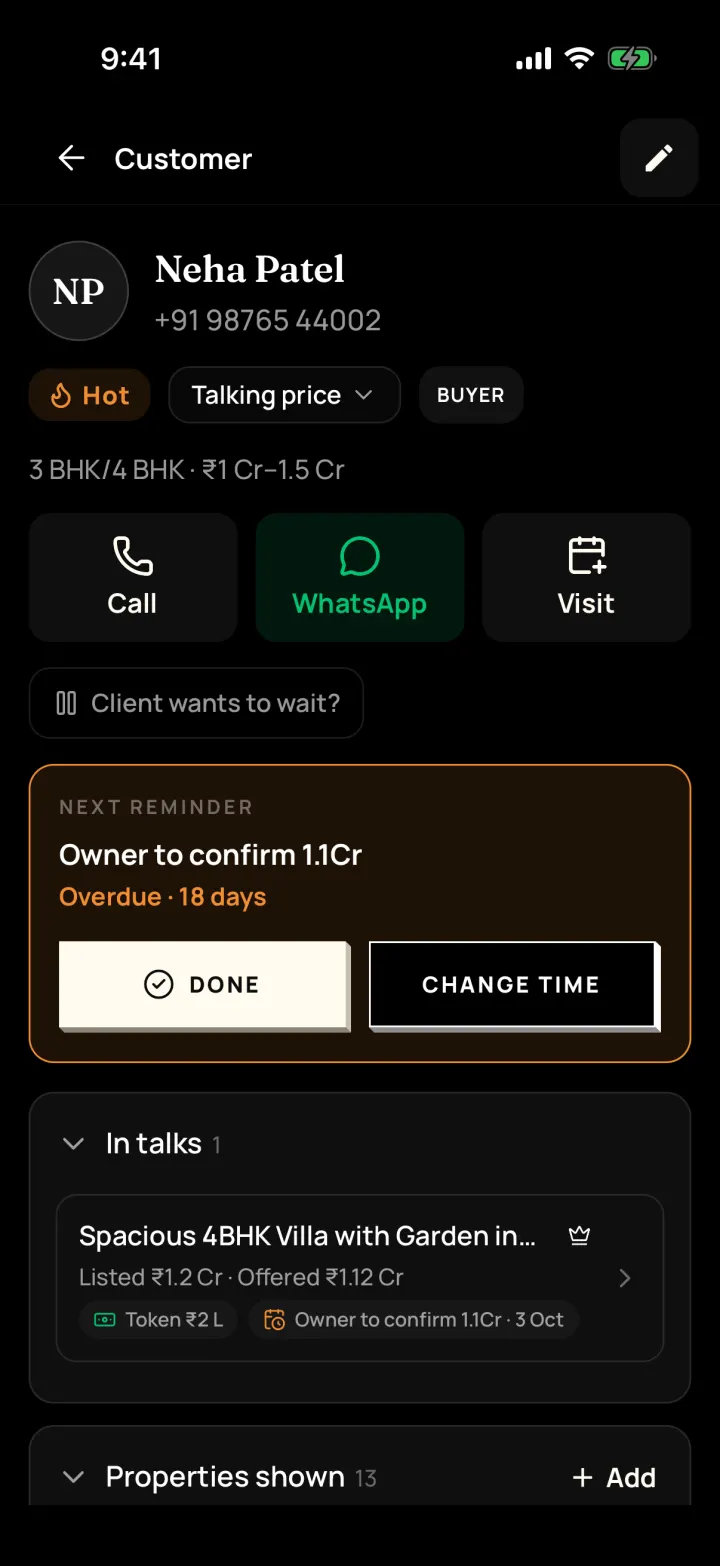
Start talks with one or more buyers on a property, note each offer and the owner's price, record the token and the next step, then mark the deal done.
The problem it solves
Offers, counter-offers and token details live in your head or scattered chats.
What you get
- "Offered" and "Owner asks" prices for each buyer in talks
- Token paid / received and next steps like "Meet for token"
- Close as "Buyer bought it" or "Tenant took it" with the final price or rent
How to do it in the app
Step 1
Start talks with a buyer
From the property page, tap "Start talks with a buyer". Several buyers can be in talks at once.
Step 2
Note offers
Record what each buyer offered and what the owner asks.
Step 3
Record the token and next step
Token paid or received, and next steps like "Meet for token" or "Buyer to arrange loan".
Step 4
Mark the deal done
Choose "Buyer bought it" or "Tenant took it" and add the final price or rent and the commission.
FAQ
Frequently asked questions
Common questions about deals: from talks to done in DreamToBuy.
Tap "Mark dropped out" and note the reason. Other buyers in talks stay as they are.
People whose role allows it, usually owners and managers.
See it on your own customers and properties
Get a free demo of DreamToBuy. We'll set up your agency and walk your team through the app.