For builders
Sell your project's units without spreadsheets
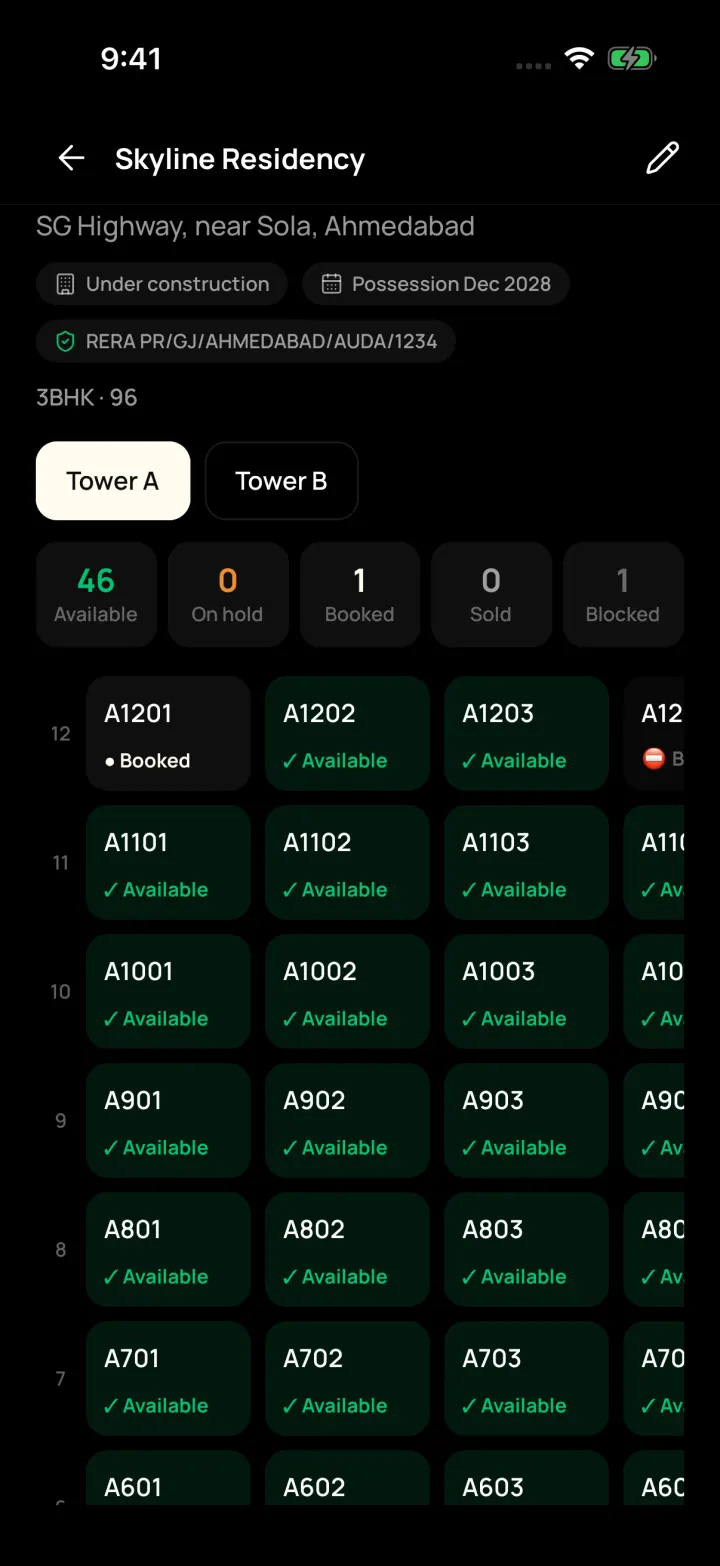
If you sell flats or shops in a new project, we can switch on builder tools for your company. Your sales team sees which units are free, holds them for customers and books them step by step.
Sound familiar?
- Two salespeople promise the same flat to different buyers.
- Cost sheets and payment plans are made by hand for every booking.
- Nobody knows which payments are due this month.
What helps you most
- ₹999 per month
- English and Gujarati
- Android, iPhone and web
Selling a project? There are builder tools too.
If you sell flats or shops in a new project, we can switch on builder tools for your company. Brokers who don't need them never see them, so the app stays simple.
- Projects with towers and a floor-by-floor unit grid: Available, On hold, Booked, Sold
- Hold a unit for a customer for 4 hours, 24 hours or 3 days
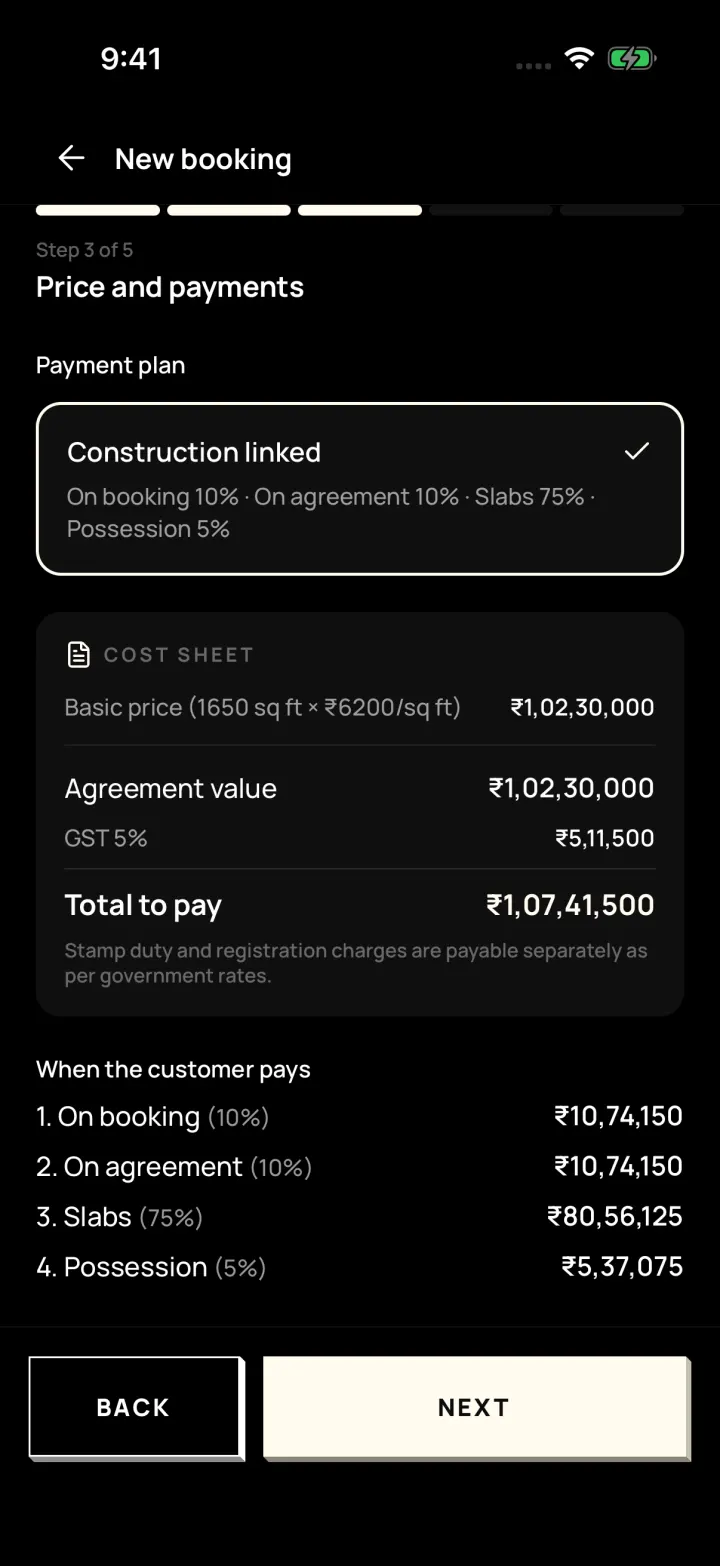
- Step-by-step booking: customer, unit, price and payment plan, documents, confirm
- Cost sheet, allotment letter, payment reminders and receipts
FAQ
Frequently asked questions
Questions from builders about DreamToBuy.
No. Builder tools are switched on only for companies that need them, so the app stays simple for everyone else.
For 4 hours, 24 hours or 3 days, so other salespeople can see it's taken.
Ready to close more deals?
Get a free demo of DreamToBuy. We'll set up your agency and walk your team through the app.