Feature
Reports and targets
How do I see how my agency is doing?
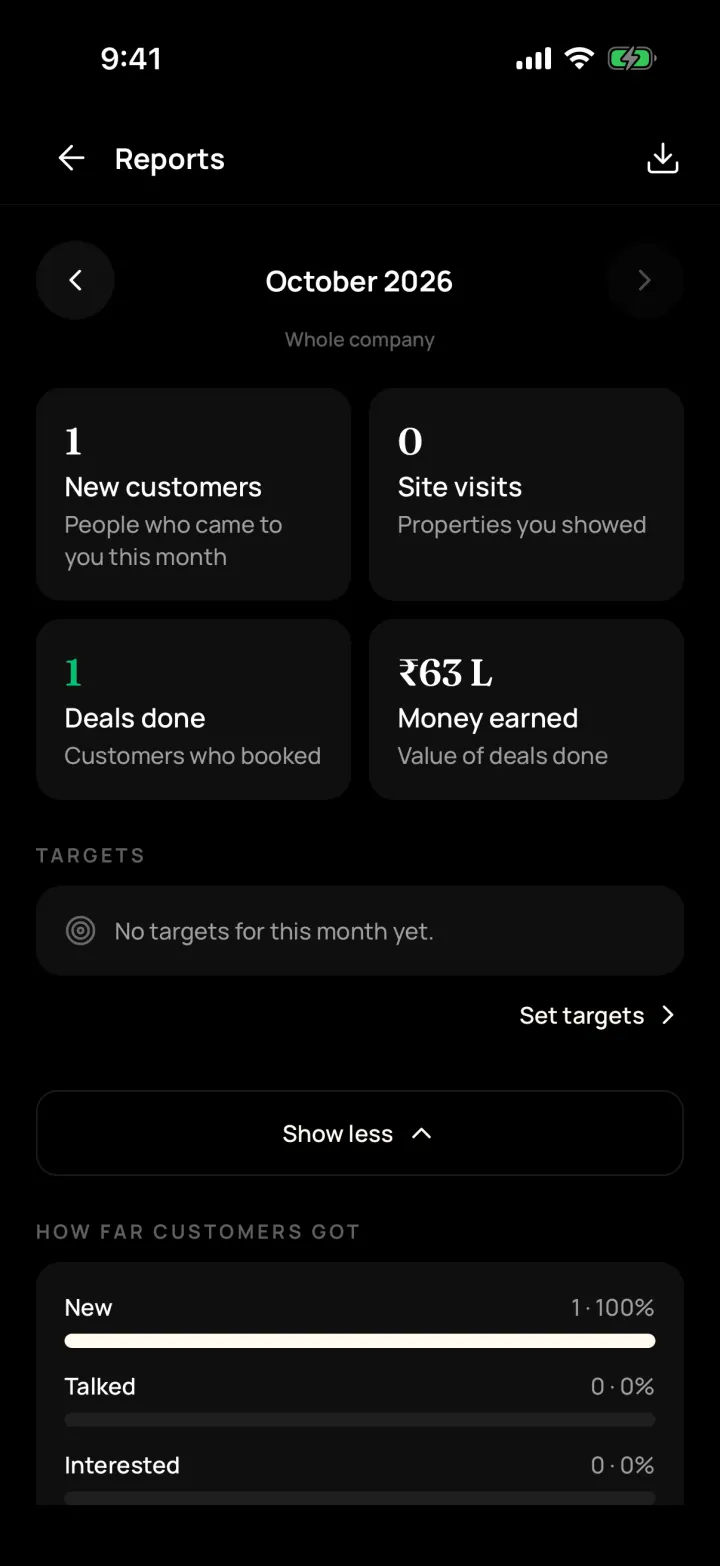
The monthly report shows new customers, calls, site visits, deals done and money earned. Owners and managers can set monthly targets for each person.
The problem it solves
You only find out at month-end that visits and deals were down.
What you get
- Where customers came from and why they said no
- Team ranking and daily numbers per person
- Monthly targets set by owners and managers
How to do it in the app
Step 1
Open Reports
Me → Reports shows this month. Use the arrows for other months.
Step 2
Show more
See how far customers got, where they came from, why they said no and payments coming in.
Step 3
Set targets
Owners and managers set monthly targets per person in Targets.
FAQ
Frequently asked questions
Common questions about reports and targets in DreamToBuy.
Yes. Owners and managers can download it as Excel or CSV.
See it on your own customers and properties
Get a free demo of DreamToBuy. We'll set up your agency and walk your team through the app.