Feature
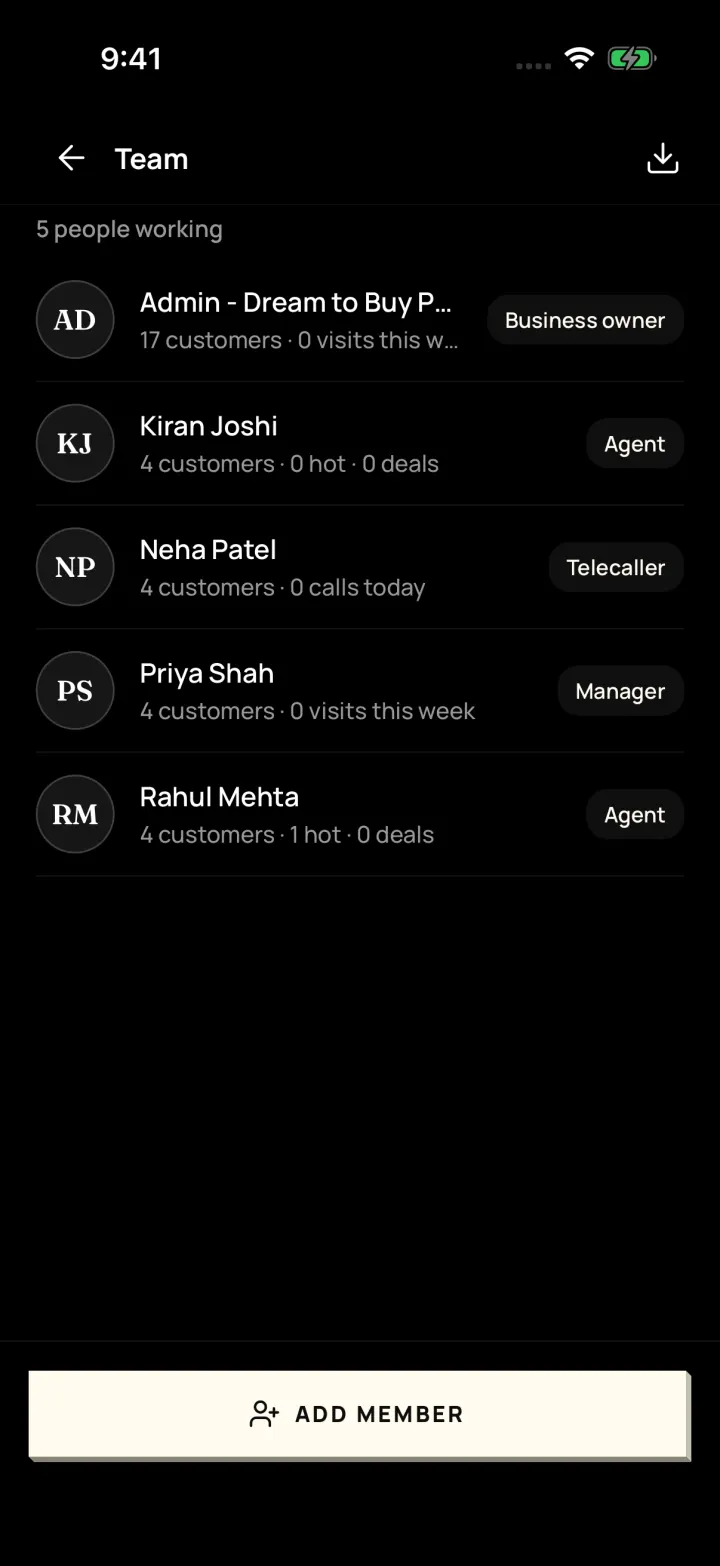
Your whole team
Can my team use DreamToBuy, and what can each person see?
Yes. Add your managers, agents and telecallers. Each person sees what their role allows, and you can move a customer to someone else in one tap.
The problem it solves
When an agent leaves or is busy, their customers and reminders get lost.
What you get
- Roles: Business owner, Manager, Agent, Telecaller
- Give a customer to someone else, with their reminders
- Check in / check out attendance with a 30-day history
- New enquiries can be shared out to the team one by one
How to do it in the app
Step 1
Add a team member
Me → Team → Add member. The app makes a password for you to share.
Step 2
Pick their role
Business owner, Manager, Agent or Telecaller, and who they work under.
Step 3
Move work when needed
Give a customer to someone else, and their reminders move too.
Step 4
Track attendance
Team members check in and check out; you see the last 30 days.
FAQ
Frequently asked questions
Common questions about your whole team in DreamToBuy.
Yes. Use Stop login on their Team page. Start login turns it back on.
Yes. Owners can switch on sharing new customers to the team one by one.
See it on your own customers and properties
Get a free demo of DreamToBuy. We'll set up your agency and walk your team through the app.